
Download WABiz Delivery – Free Android App for Delivery System Demo
Overview
WABiz Delivery is a demonstration application designed to showcase the functionality of the WABiz delivery system. Developed by WABiz - Aplicativos para Delivery, the app falls within the Lifestyle category, specifically under Food & Drink. Its primary purpose is to provide users with a simulated experience of ordering and tracking food deliveries through a digital platform. While the app allows users to browse menus, add items to a cart, and view real-time order tracking, it is important to note that any orders placed are not fulfilled. This makes the app ideal for testing, training, or showcasing the system’s interface and workflow rather than for actual delivery use.
The target audience includes developers, business owners exploring delivery solutions, and individuals interested in understanding how a modern delivery platform operates. The app serves as a practical tool for demonstrating how a restaurant or delivery service might integrate with a digital ordering system. It supports Android 5.0 and above, ensuring accessibility across a wide range of devices. With a file size of 22.4 MB, the app is lightweight and suitable for devices with limited storage.
Key Features & Capabilities
- Menu Browsing – Users can explore a simulated menu with various food items, allowing them to understand how products are displayed and categorized within the delivery system.
- Cart Management – The app enables users to add, remove, and modify items in their virtual cart, simulating the real-world shopping experience.
- Real-Time Order Tracking – A key feature of the app is the ability to track order status in real time, providing a visual representation of delivery progress from preparation to arrival.
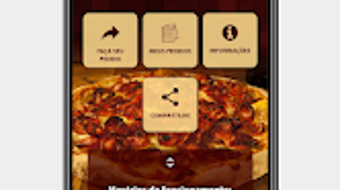
- Interactive Interface – Designed with usability in mind, the app offers a clean, intuitive layout that supports easy navigation between sections such as home, menu, cart, and order status.
- System Demonstration – As a demo app, WABiz Delivery is not intended for live transactions. It functions as a training or presentation tool for stakeholders evaluating the platform.
These features allow users to experience the full lifecycle of a delivery order without actual delivery. This is particularly useful for developers testing integrations or business owners evaluating the platform’s user experience before implementation.
User Interface, Workflow & Performance
The user interface of WABiz Delivery is described as simple and user-friendly, with a focus on intuitive navigation. The layout appears to follow standard mobile app patterns, allowing users to move seamlessly between the home screen, menu, cart, and order tracking sections. Navigation is likely handled through bottom or top navigation bars, common in Android applications of this type.
Workflow efficiency is enhanced by the app’s streamlined process: browse → select → add to cart → track. This mirrors real-world delivery apps and provides a realistic simulation of the user journey. The app’s performance is not detailed in the provided information, but its lightweight size of 22.4 MB suggests minimal impact on device resources. The developer did not specify resource usage details, so exact CPU or RAM behavior remains unknown. Stability is expected to be consistent for a demo application, though real-world performance may vary depending on device capabilities and Android version.
Compatibility & System Requirements
WABiz Delivery is compatible with Android 5.0 and above, ensuring broad accessibility across older and newer devices. The app is designed specifically for Android platforms and does not support other operating systems. The installation size is 22.4 MB, which is relatively small, making it suitable for devices with limited storage space.
Exact system requirements were not listed. The developer did not provide additional details regarding processor speed, RAM, or storage beyond the base Android version. Compatibility information is limited to the operating system version and file size. Users should ensure their device meets the minimum Android 5.0 requirement to install and run the app.
Pros and Cons
Pros
- Lightweight installation size (22.4 MB)
- Simple and intuitive user interface
- Real-time order tracking simulation
- Free to download and use
- Effective for training and system demonstration
Cons
- Orders are not fulfilled, limiting real-world use
- No support for iOS or other platforms
- Minimal system requirements information provided
- Not suitable for actual food delivery
- Limited to demo functionality only
FAQ Section
Is WABiz Delivery available for iOS devices?
WABiz Delivery is currently designed for Android only. There is no information available about an iOS version.
Can I place a real order using this app?
No, WABiz Delivery is a demonstration app. Any orders placed within the app will not be processed or fulfilled.
Is the app free to download?
Yes, the app is available for free download on Google Play.
What Android versions are supported?
The app is compatible with Android 5.0 and above.
Does the app require an internet connection?
Yes, real-time order tracking and menu browsing require an active internet connection.
Final Thoughts + CTA
WABiz Delivery serves as a well-structured demo app that effectively illustrates the core components of a modern delivery system. Its lightweight design, clean interface, and functional simulation make it a valuable tool for developers, business owners, and stakeholders evaluating delivery platform integration. While it cannot be used for actual orders, its ability to demonstrate menu navigation, cart management, and real-time tracking provides a realistic preview of what a live system might offer.
For those exploring digital delivery solutions, this app offers a risk-free way to understand the user experience and workflow. It is particularly useful in training, presentations, or product demonstrations. Although it lacks real-world functionality, its strengths lie in clarity, simplicity, and purpose.
Download WABiz Delivery now to experience a professional-grade delivery system demo on your Android device.







